
What should I do when the printer shows the prompt of "sliding the green slider on the cartridge unit?
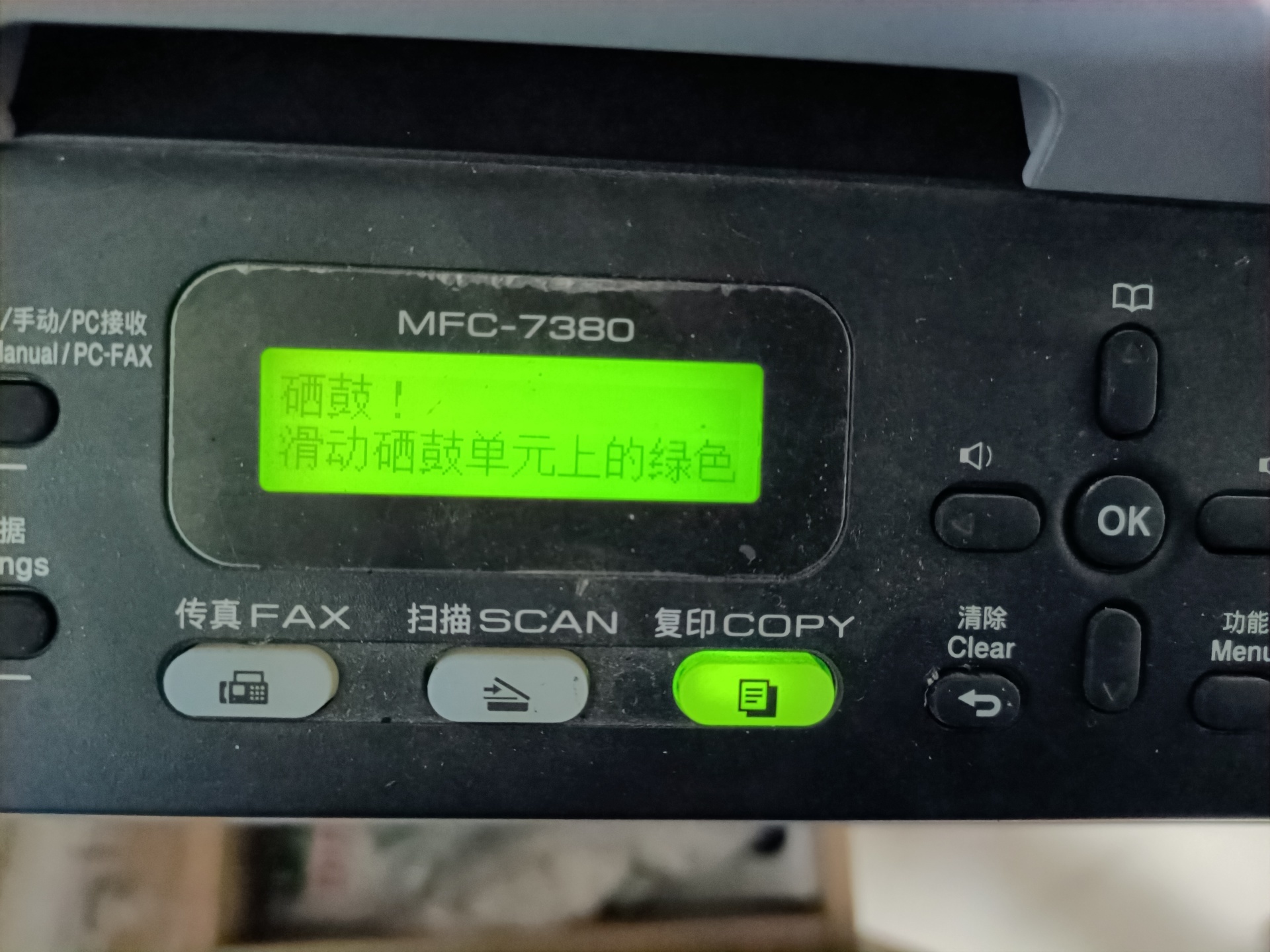
toBrother MFC-7380Take the printer as an example. I believe that many partners who use consumables have experienced this situation in brother brand printing opportunities: the words "toner cartridge! Slide the green slider on the toner cartridge unit" appear on the printer screen.
Q: Why does the prompt "Cartridge! Slide the green slider on the drum unit" appear?
A: It means cleaning the corona wire on the drum stand
Q: How do I clean the corona wire on the drum stand?
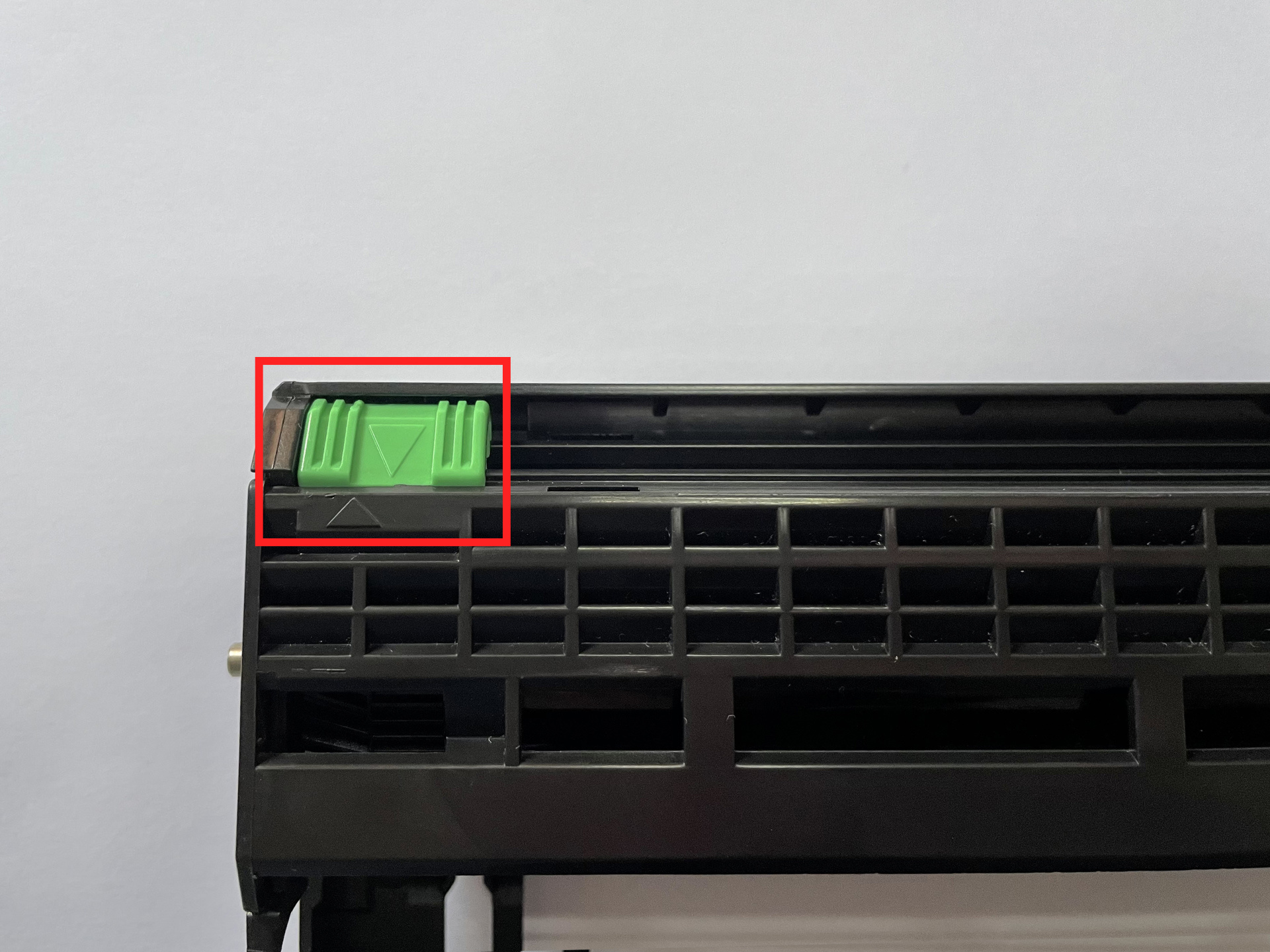
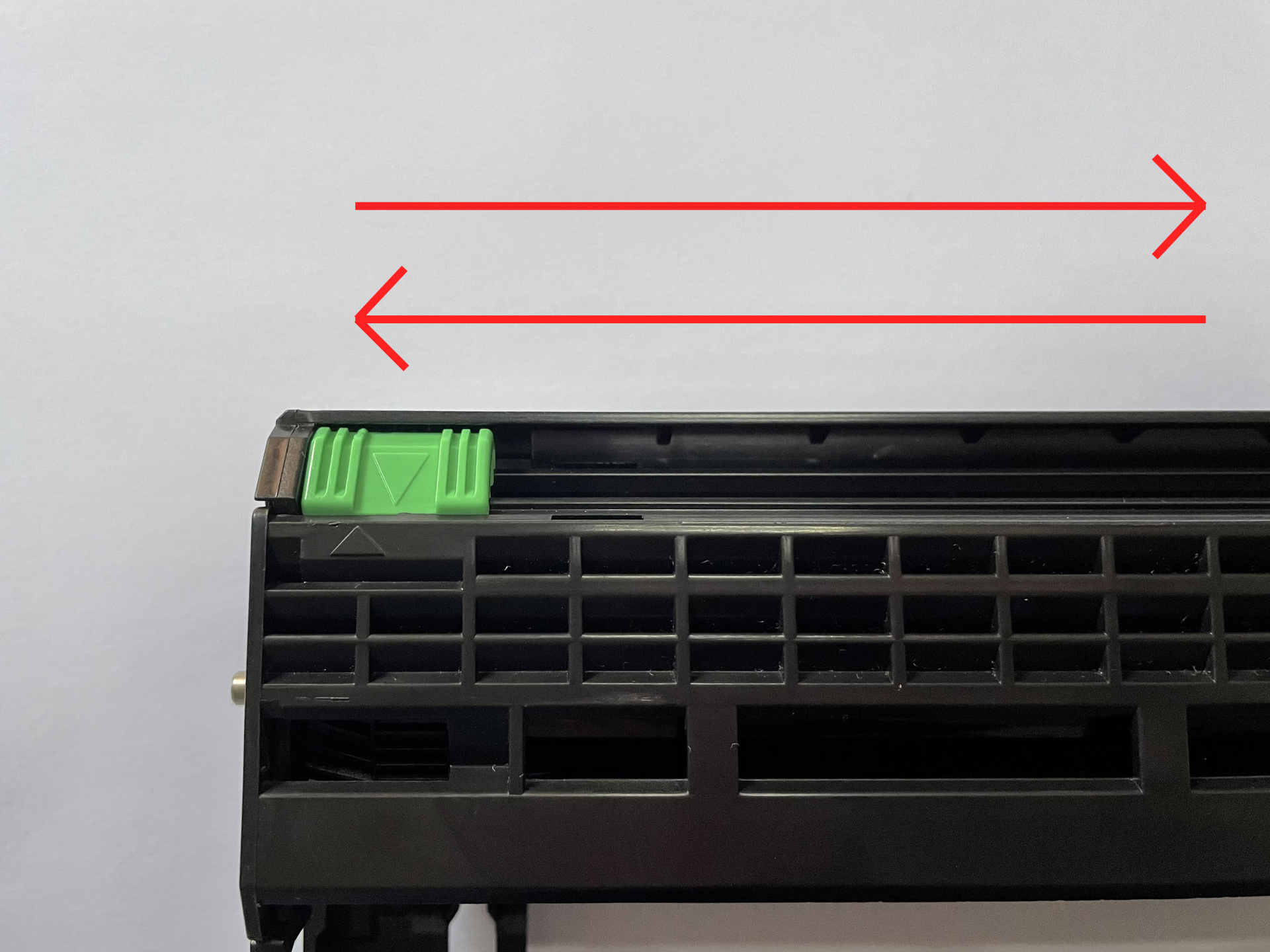
Answer: Slide the green slider back and forth several times as shown in the figure to clean up the dust on the corona wire.
(Note: Slide back and forth several times to move this slider to ▲, and be sure to return to its position, otherwise it will cause a black vertical bar to be printed.)
If cleaning the corona wire on the drum frame cannot be solved, try the following methods:
1. Regularly clean the dust inside the printer
2. Replace the new drum frame
3. Reset drum counter
4. Powder box reset
Related






National Service Hotline:400-830-7383
Telephone:86-0757-26628767
Fax: 86-0757-26381038
E-mail:market@chinacobol.com
Address: No.8 Jiqing Road, Ronggui Street, Shunde, Foshan, Guangdong

WeChat Public